Firered Image Edit in Action
Explore what Firered Image Edit can do — from restoring old family photos to composing multi-element images with natural language instructions.
What People Use Firered Image Edit For
Old Photo Restoration
Repair scratches, remove dust marks, enhance faded colors, and sharpen blurry details in vintage photographs using Firered Image Edit.
Archivists & familiesPortrait Background Swap
Move portrait subjects into new environments while Firered Image Edit preserves facial identity, pose, clothing, and lighting consistency.
PhotographersHairstyle & Makeup Changes
Change hair color, style, length, or add makeup effects to portraits. Firered Image Edit keeps the face and identity perfectly consistent.
Beauty & fashionMulti-Image Composition
Combine elements from multiple reference photos into a single cohesive image. Firered Image Edit handles natural blending automatically.
DesignersProduct Photo Enhancement
Transform plain product shots into lifestyle scenes. Firered Image Edit places products in realistic environments with proper lighting.
E-commerce brandsStyle & Mood Transfer
Apply artistic styles, lighting moods, or color grading from reference images to your photos using Firered Image Edit style transfer.
Art directorsText Editing in Images
Change words on signs, labels, or posters while Firered Image Edit preserves the original font, shadows, perspective, and texture.
MarketersObject Addition & Removal
Add accessories, remove unwanted objects, or insert new elements. Firered Image Edit blends changes seamlessly into the scene.
Content creatorsFirered Image Edit Results Gallery
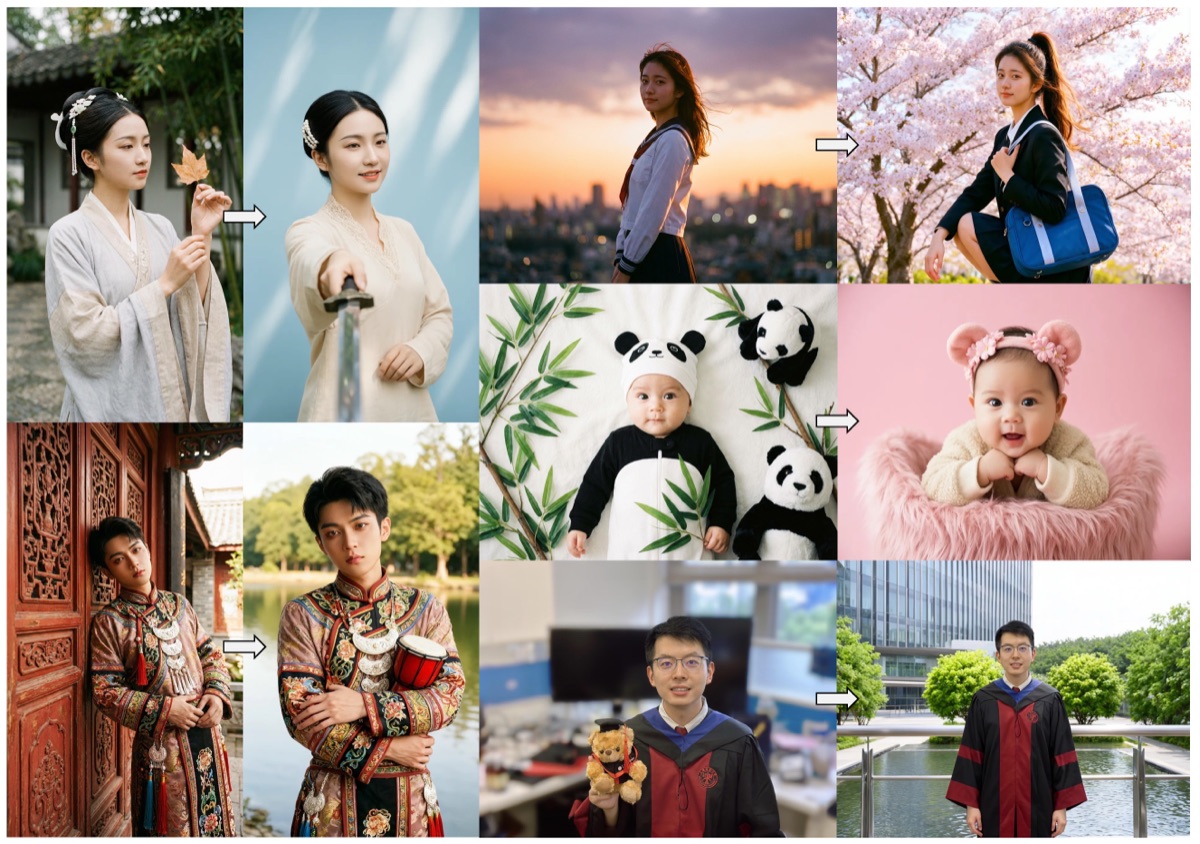
Portrait Editing Showcase
See how Firered Image Edit handles portrait editing with precise identity consistency — changing hairstyles, backgrounds, and styles.
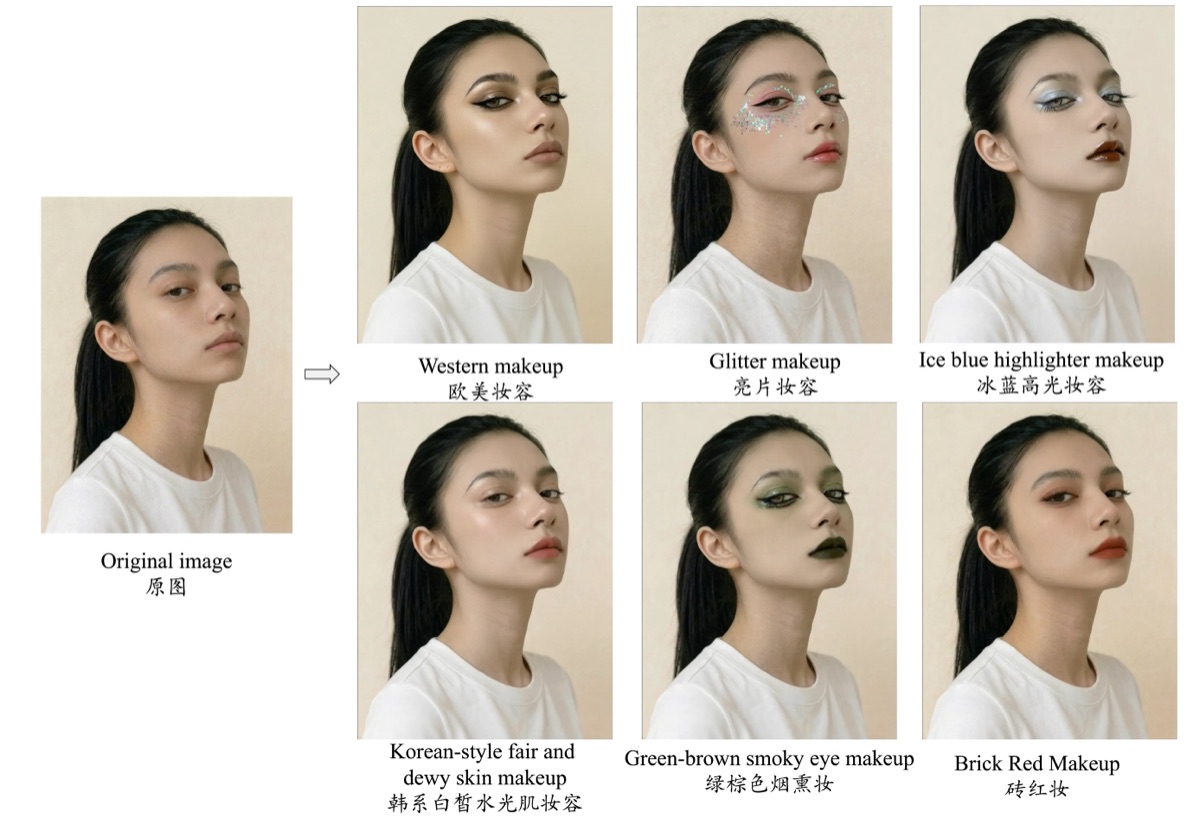
Makeup & Style Transfer
Firered Image Edit applies makeup effects and style changes while preserving natural facial features and expressions.
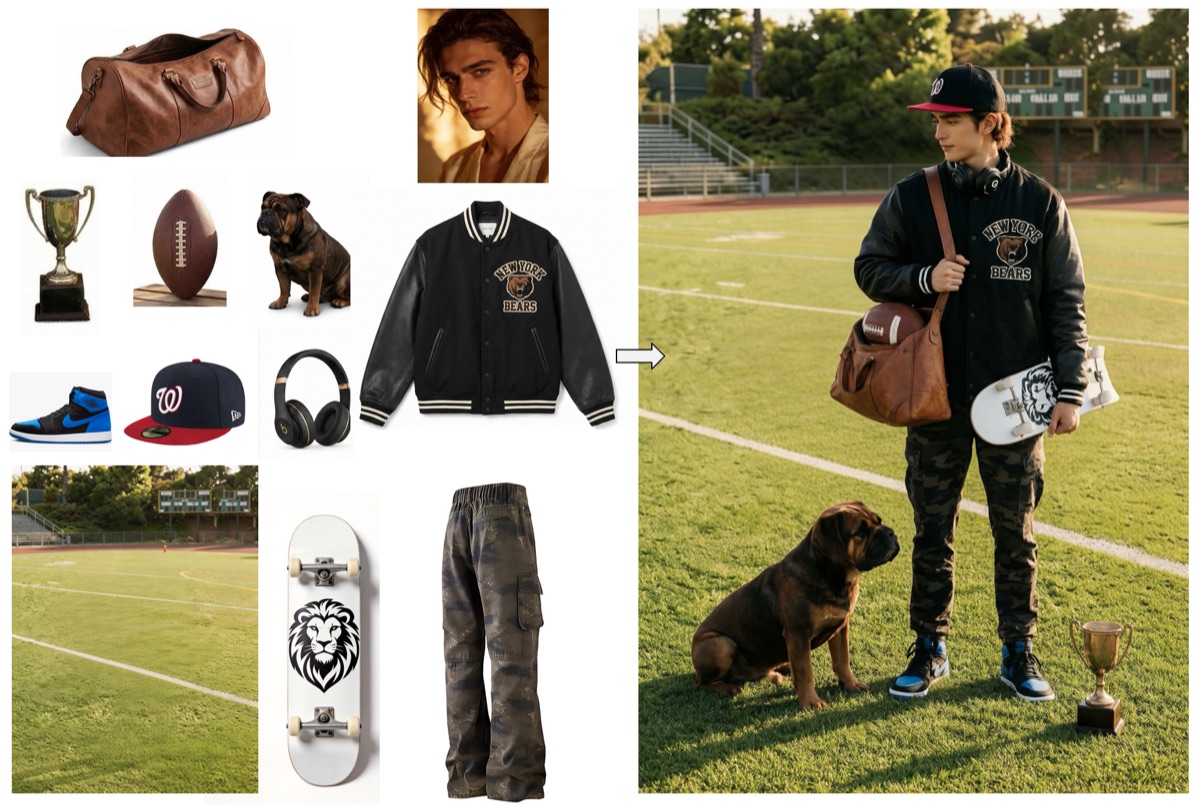
Multi-Element Fusion
Firered Image Edit combines elements from multiple reference images into a single cohesive composition with natural blending.
Text Editing in Images
Firered Image Edit modifies text on signs, labels, and posters while perfectly preserving the original font, shadows, and texture.

Who Uses Firered Image Edit
Photographers
Use Firered Image Edit to quickly swap backgrounds, adjust lighting, and create variations of portrait sessions without re-shooting.
E-commerce Sellers
Transform plain product photos into lifestyle scenes with Firered Image Edit. No expensive studio setups or props needed.
Families & Archivists
Restore precious old family photos with Firered Image Edit. Repair decades of damage and bring vintage memories back to life.
Graphic Designers
Compose multi-element images from separate references using Firered Image Edit. Perfect for mockups, presentations, and creative concepts.
Social Media Creators
Generate eye-catching content variations quickly with Firered Image Edit. Change outfits, scenes, and styles for diverse posts.
Marketing Teams
Adapt campaign visuals across different contexts using Firered Image Edit. Localize imagery, swap text, and customize scenes at scale.
Start Editing with Firered Image Edit
Try Firered Image Edit for free — no sign-up, no credit card. Upload your photo and describe your edit.